.png)
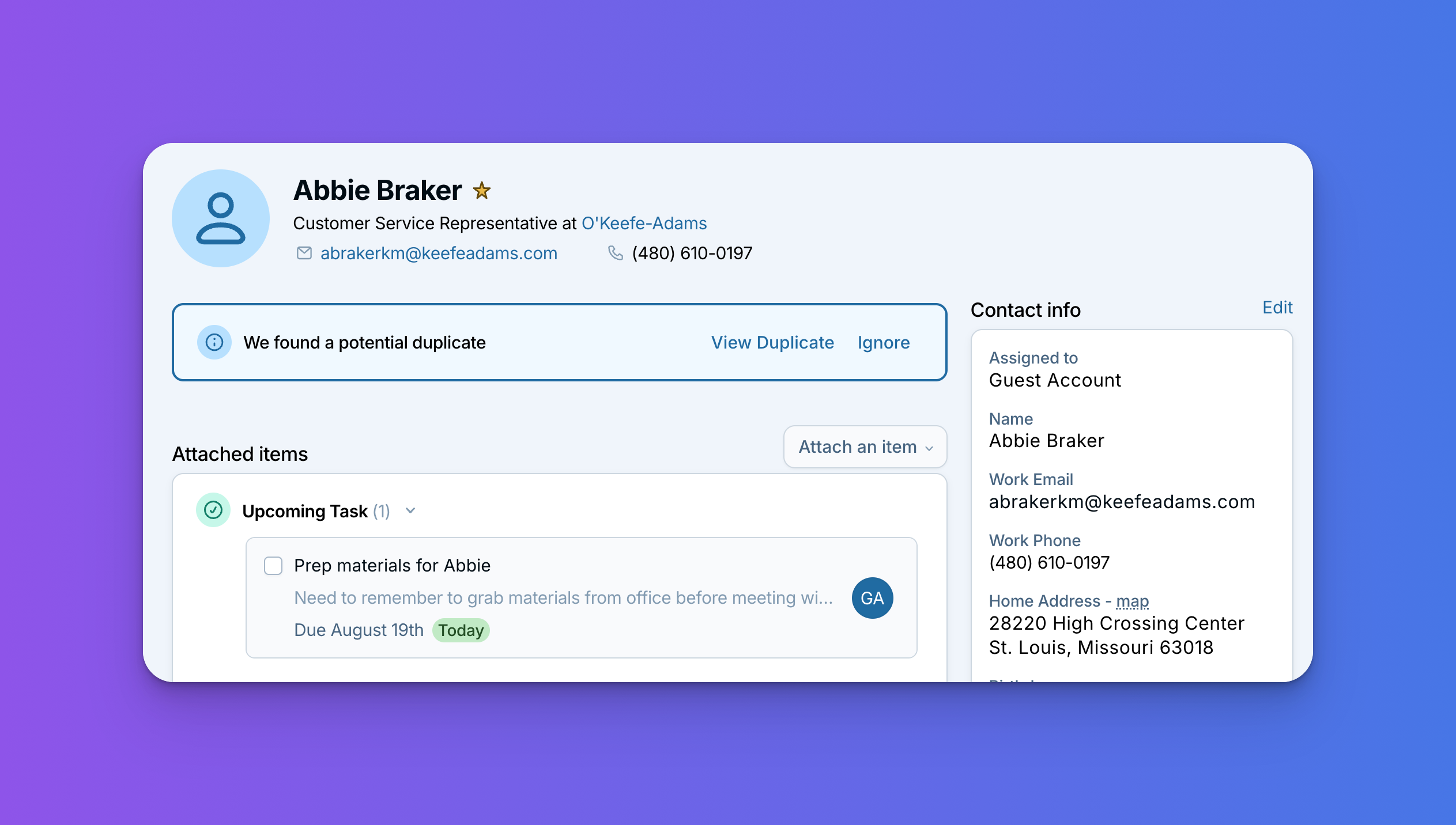
Nobody enjoys dealing with duplicate records. You go to log a call, notice there are two versions of the same person, and suddenly you're cleaning up data instead of doing the thing you sat down to do.
Our developers have spent a good chunk of time making that whole experience less annoying, and a lot of what they built started as suggestions from you. Here's what's new.
The CRM will tell you when it spots a duplicate
You no longer have to go looking for duplicates. If the CRM notices another record with the same email address or phone number, you'll see a "We found a potential duplicate" flag right on the contact.
From there you can take a look at the other record and merge them, or ignore the suggestion if they're actually two different people. No trip to a separate page required.
Undo a merge, and see merges in a contact's history
These two got their own post a while back, so they may already be familiar: Product Update: Undo Merges.
The short version: merges now show up in a contact's history, so if you're ever wondering what happened to a record, you have the paper trail. And an Undo Merge button sits right there in the history for when you merge something by mistake. Undoing gives you back your two original records, and leaves the merged version in place too, so you'll want to delete that one to finish tidying up.
Merging used to be a decision you wanted to be completely sure about before clicking. Now it's an ordinary action you can reverse.
You can permanently ignore pairs that aren't duplicates
On the bulk merge page, you can now dismiss a suggested duplicate for good.
Some pairs look like duplicates but aren't. A married couple who share a phone number is the classic example: two real people, two records that should stay separate. Before, those pairs kept showing up in your list every time you went to clean things up.
Now you can ignore a pair once and it stays out of your way, which makes it much easier to spot the duplicates that actually need your attention.
Plus a lot you won't see
Our developers also did a fair amount of behind the scenes work on how merges actually run. You won't notice this one directly, which is sort of the point: merges should just go smoothly and get out of your way.
Questions?
If you want to learn how to merge duplicates, we have help articles on merging a contact and merging duplicate records in bulk.
Sign up to receive updates in your inbox